 Certly

Certly turned our post-event certificate work from an evening of copying and pasting into a quick, simple workflow.
Aarav Mehta
Events Lead · University Club
Upload your design, import a guest list, and send polished certificates from your club Gmail in minutes.
Made for college and school clubs
No mail merge, no late-night PDF exports, and no per-certificate charge. Certly handles the repetitive work so your team can run the event.
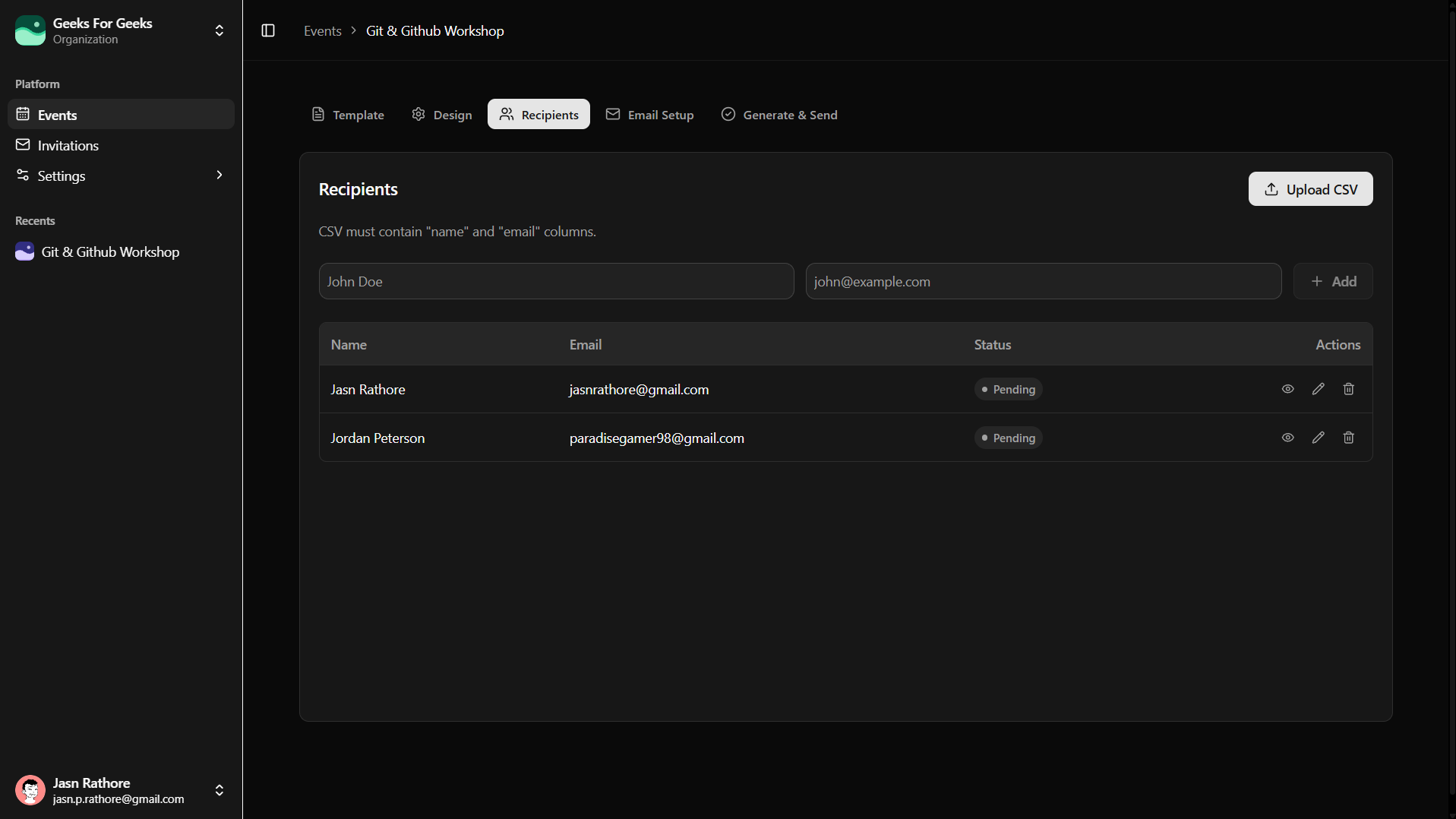
01 · Upload your design
Upload a PNG or PDF, then tell Certly where the recipient name belongs. Your event branding stays yours.
Create a free account
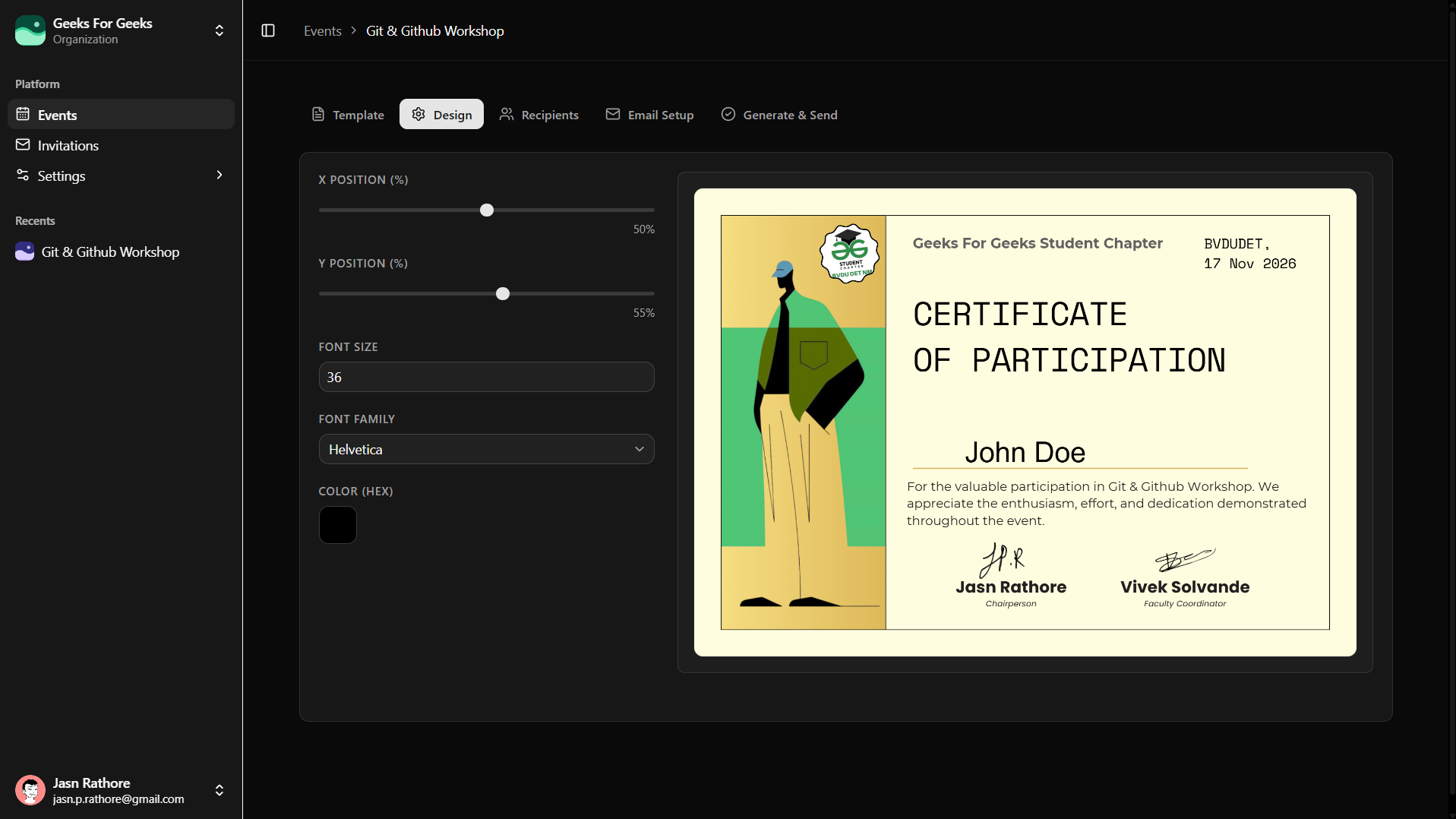
02 · Import the list
Names and email addresses line up before the send. Catch duplicates, verify the count, and keep the event team in control.
03 · Send without the all-nighter
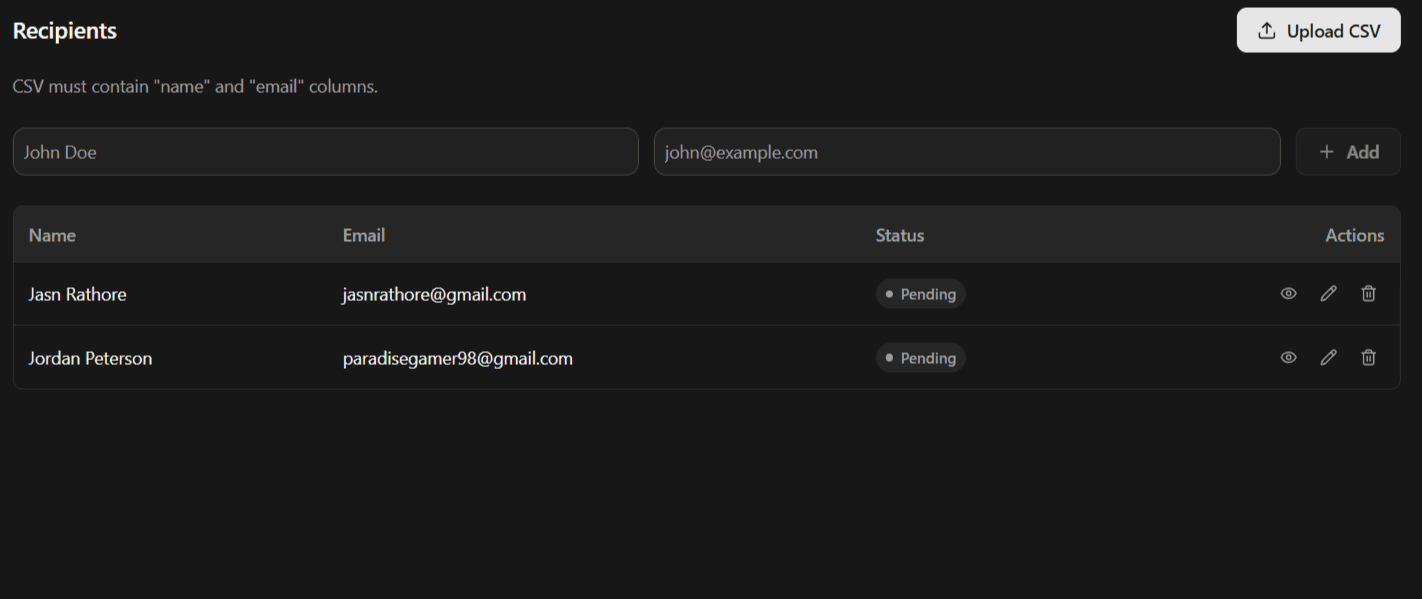
04 · Bring your team along
Create an organisation for your club, invite teammates by email, and keep your people and events together even when the committee changes.
Testimonials
Certly turned our post-event certificate work from an evening of copying and pasting into a quick, simple workflow.
Aarav Mehta
Events Lead · University Club
We uploaded our design, matched the spreadsheet, and had every certificate ready to send in minutes. It is exactly what our team needed.

Maya Shah
Operations Lead · Student Society
The live send status gives us confidence that every participant receives the right certificate from our club account.
Rohan Kapoor
Secretary · College Club
Questions, answered
It gives your club one shared place for its events and team. If you belong to more than one organisation, you can switch between their workspaces.
An organisation admin can invite a teammate by email from the Members settings, choosing whether they join as an Admin or Member.
Admins can invite people, manage pending invitations, and change member roles. Members can work in the organisation but cannot manage its team access.
Invitations expire after 7 days and are tied to the invited email address. Sign in or create an account with that same address to accept.
No. Everyone uses their own Certly account and joins the organisation through an invitation, so your team does not need to share credentials.
Yes. Connect the organisation's Gmail and send certificates from an address participants already recognise.